> ## Documentation Index
> Fetch the complete documentation index at: https://basilcheatsdocs.org/llms.txt
> Use this file to discover all available pages before exploring further.
# Anti-Virus Setup
A tutorial on how to properly setup your antivirus to be able to run tools.
### **Anti-Virus Setup**
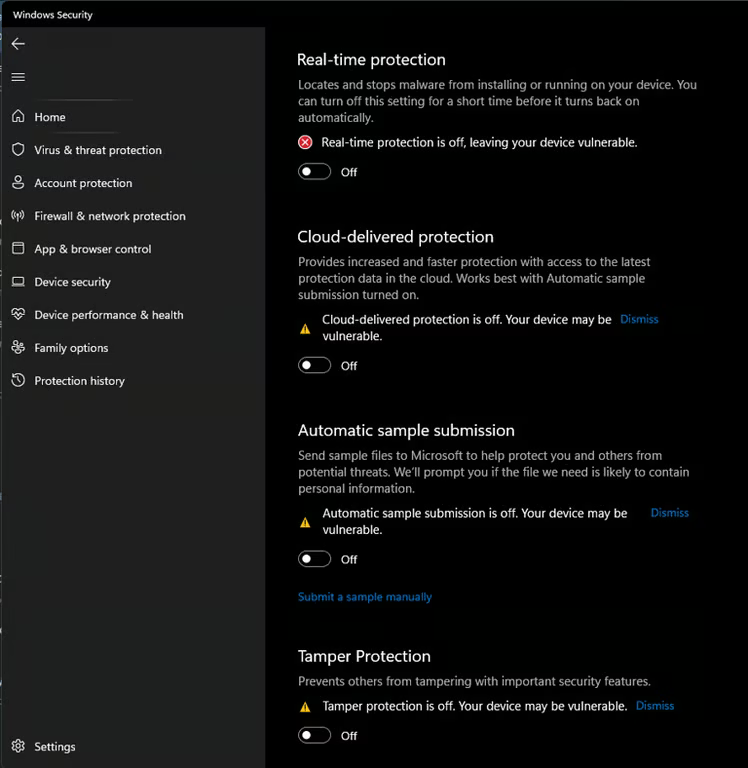
1. Make Sure Your Turn Off All Virus & Threat Protection, if you do not run defender control, Real-time Protection will re-enable itself after every system restart.
2. Download [Sordum Defender Control](https://www.sordum.org/files/downloads.php?st-defender-control=)
3. Download [Winrar](https://www.win-rar.com/fileadmin/winrar-versions/winrar/winrar-x64-701.exe)
4. Open Defender Control using Winrar.
5. Use the Password 'sordum' To Extract.
6. Run The Program & Disable Antivirus
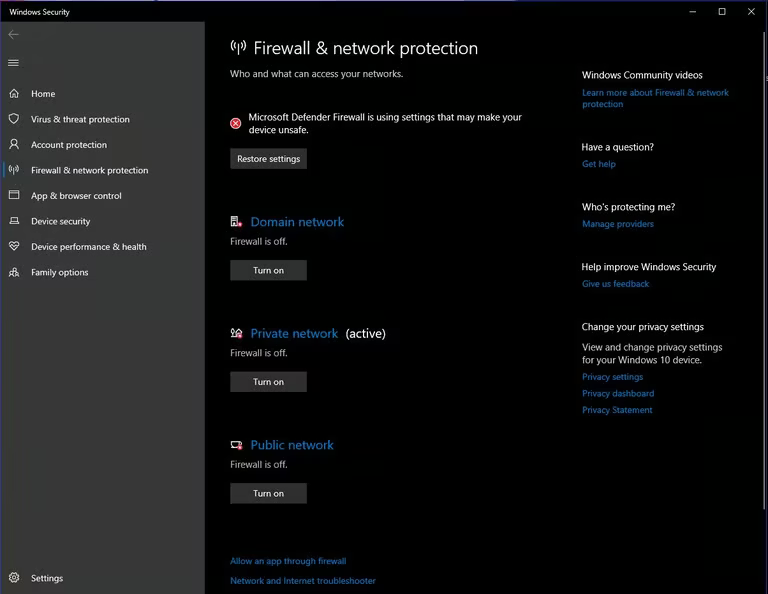
 Now turn all 3 options in your Firewall off.
 Now Head To "App & Browser Control"
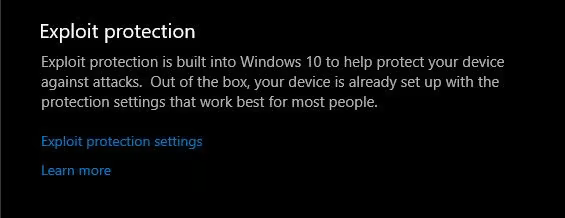
Scroll Down To "Exploit Protection" & click "Exploit Protection Settings"
Now Head To "App & Browser Control"
Scroll Down To "Exploit Protection" & click "Exploit Protection Settings"
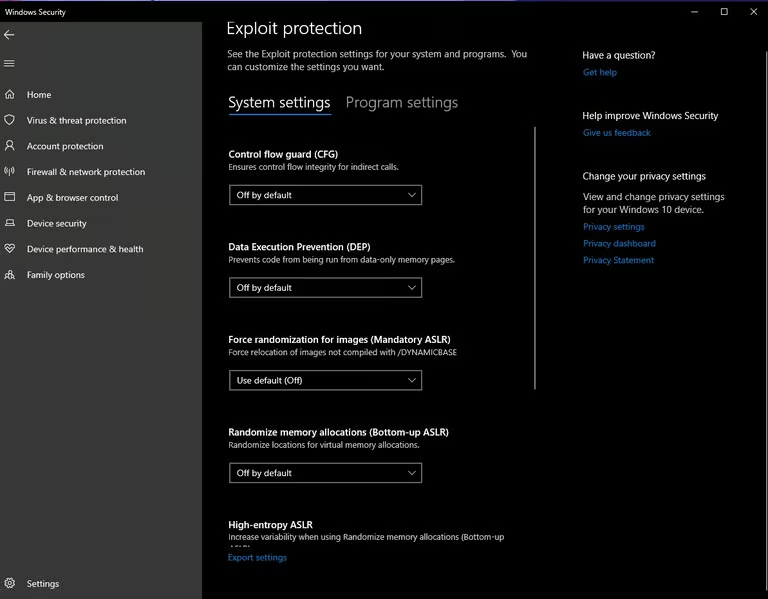
 Turn These All Off ONE BY ONE
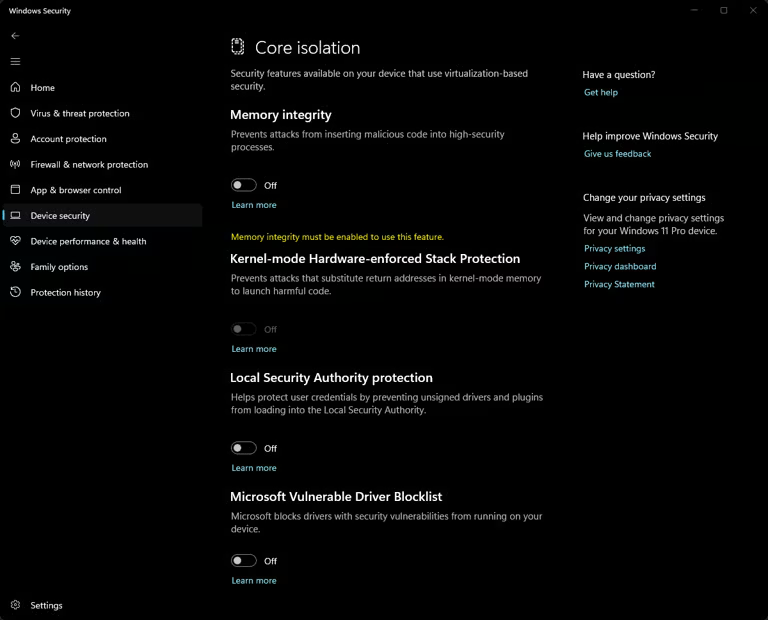
 In "DEVICE SECURITY" Make Sure "Core Isolation" Is All Off.
 ### **Secure Boot Setup (ONLY IF CHEAT REQUIRES IT OFF)**
1. Hit the Windows Key + R To Open Windows Run
2. Now type "msinfo32" and hit Enter.
### **Secure Boot Setup (ONLY IF CHEAT REQUIRES IT OFF)**
1. Hit the Windows Key + R To Open Windows Run
2. Now type "msinfo32" and hit Enter.
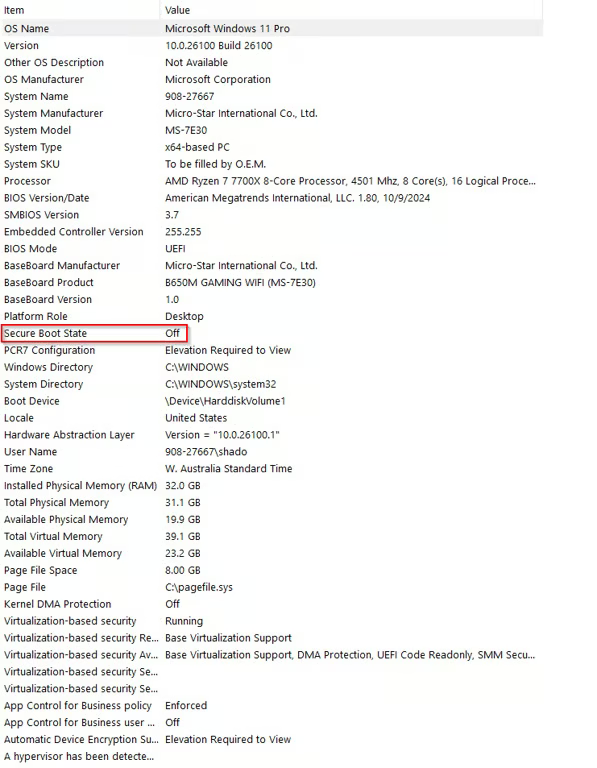 Make Sure Secure Boot Is Off, if its On you will need to go into your BIOS and disable it, you can search up a youtube tutorial if your stuck, each location varies depending on your motherboard.
### **Faceit / Riot Clients**
1. Search Add Or Remove Program
Make Sure Secure Boot Is Off, if its On you will need to go into your BIOS and disable it, you can search up a youtube tutorial if your stuck, each location varies depending on your motherboard.
### **Faceit / Riot Clients**
1. Search Add Or Remove Program
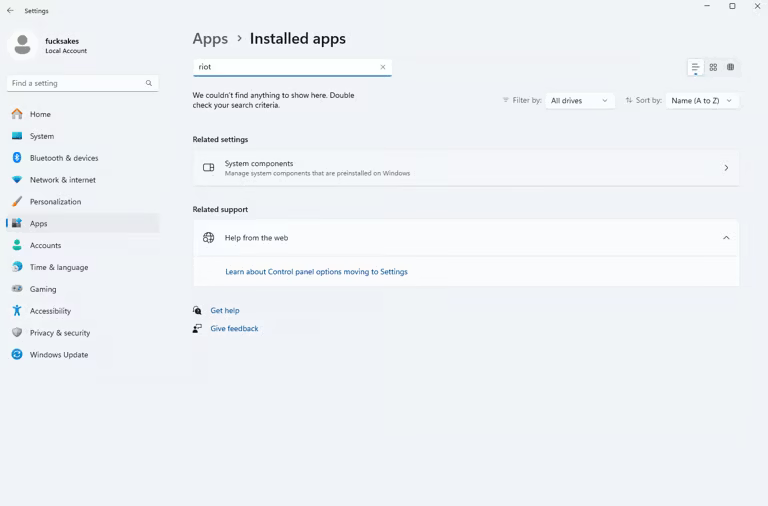 Search As I Did Above Or Manually Look, Make Sure There Is None Of The Following:
1. RIOT CLIENT
2. VANGUARD
3. FACEIT
4. Or Any Other 3rd Party Antivirus Software
Search As I Did Above Or Manually Look, Make Sure There Is None Of The Following:
1. RIOT CLIENT
2. VANGUARD
3. FACEIT
4. Or Any Other 3rd Party Antivirus Software