> ## Documentation Index
> Fetch the complete documentation index at: https://basilcheatsdocs.org/llms.txt
> Use this file to discover all available pages before exploring further.
# Discord Overlay
# Discord Overlay
A guide on how to setup the Discord overlay often used in our products.
1. Open Discord settings.
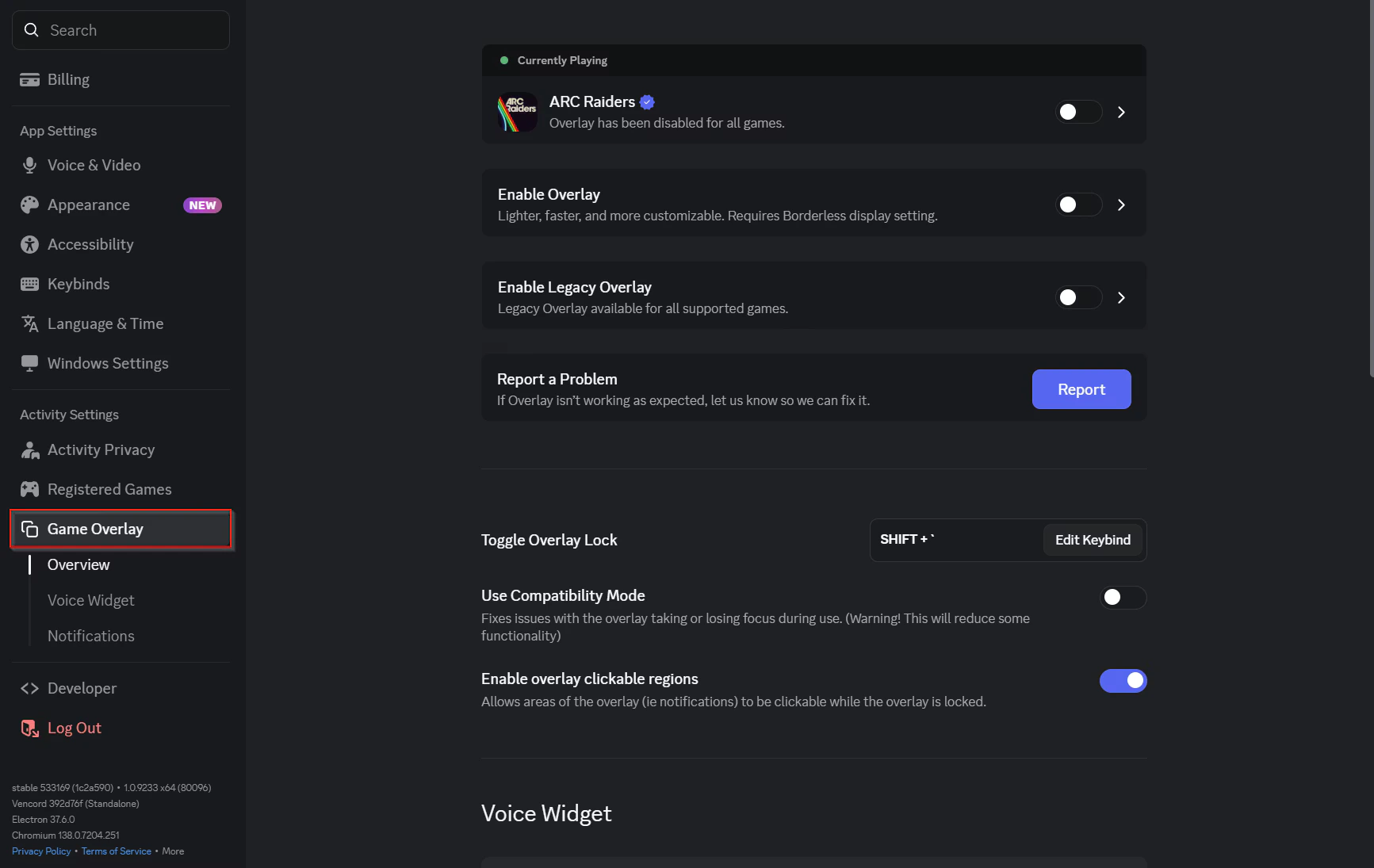
2. Click on Game Overlay as seen below.
 3. Toggle Enable Overlay & enable the overlay on ARC Raiders (if the game isn’t open it will appear under Per game override).
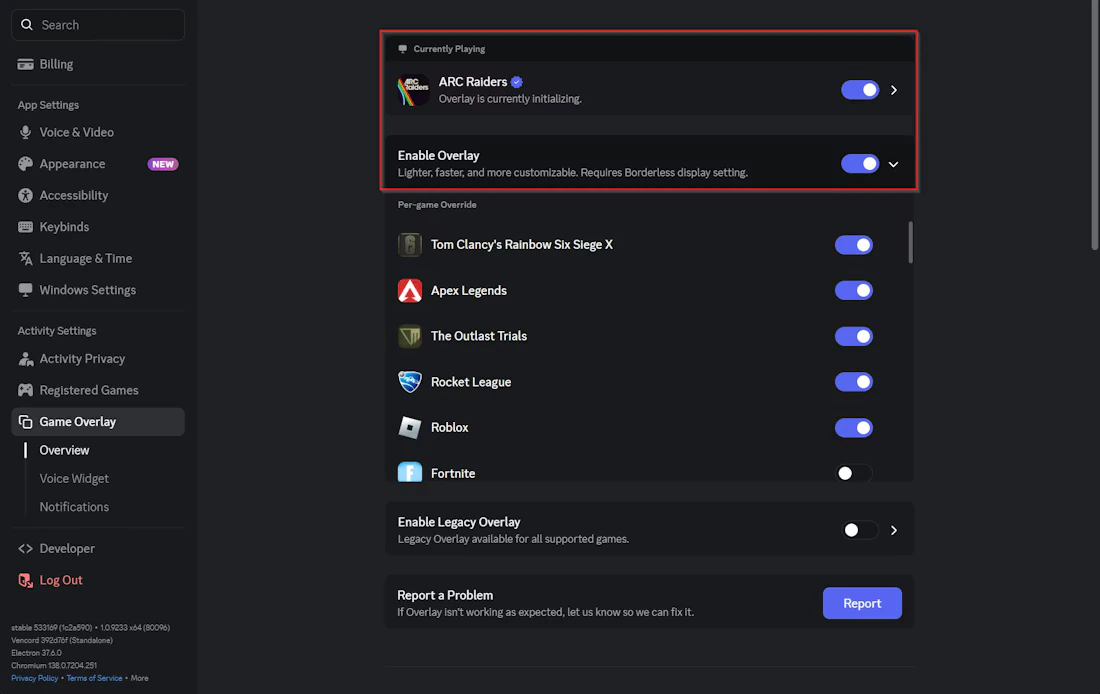 Thats it, once thats done you can use Discord Overlay on our products!