> ## Documentation Index
> Fetch the complete documentation index at: https://basilcheatsdocs.org/llms.txt
> Use this file to discover all available pages before exploring further.

# Remapping Insert Key

\> A tutorial on how to remap a key on your keyboard to the Insert key, which is commonly used to toggle our cheat menus.

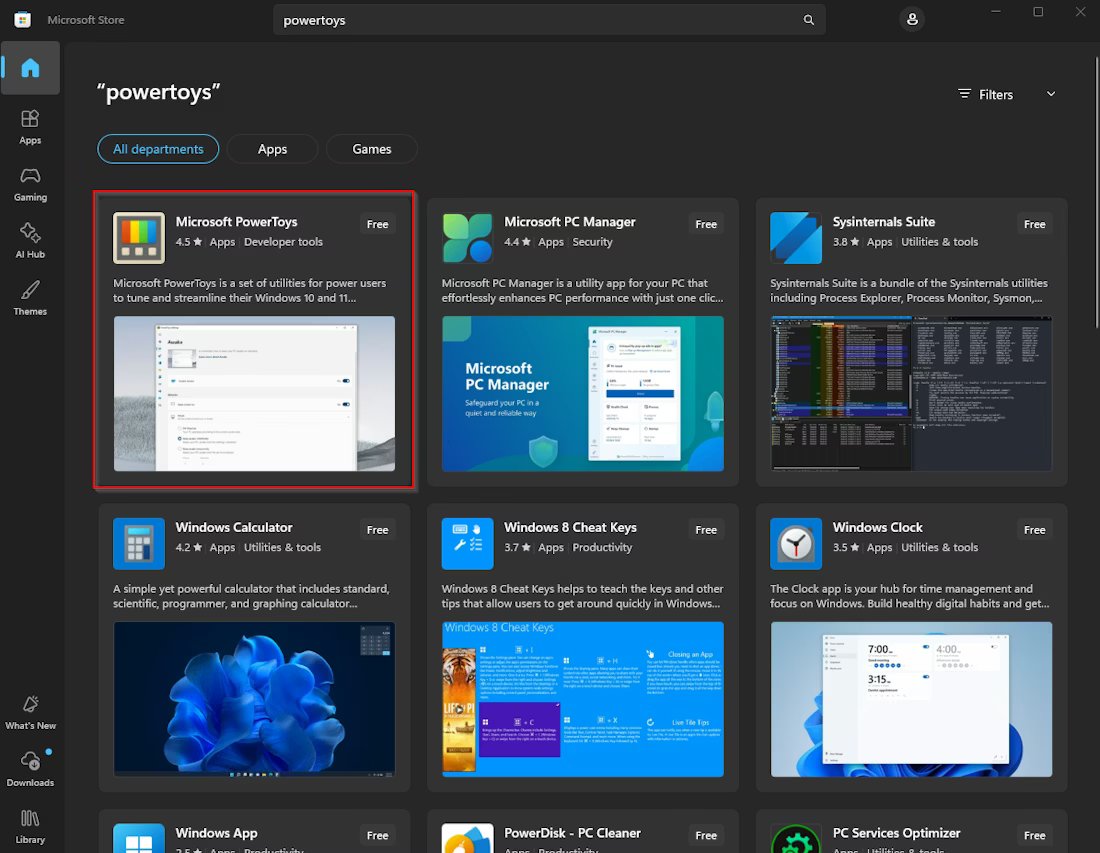
1. Open Microsoft Store and search for "PowerToys"
<Frame>
  <img src="https://mintcdn.com/basilcheats/MFxLIqAlnFrceQY9/images/image-7.png?fit=max&auto=format&n=MFxLIqAlnFrceQY9&q=85&s=6b596db7d984d6d7259f81be0210c926" alt="Image" width="1100" height="853" data-path="images/image-7.png" />
</Frame>

2. Install Microsoft PowerToys & open it.

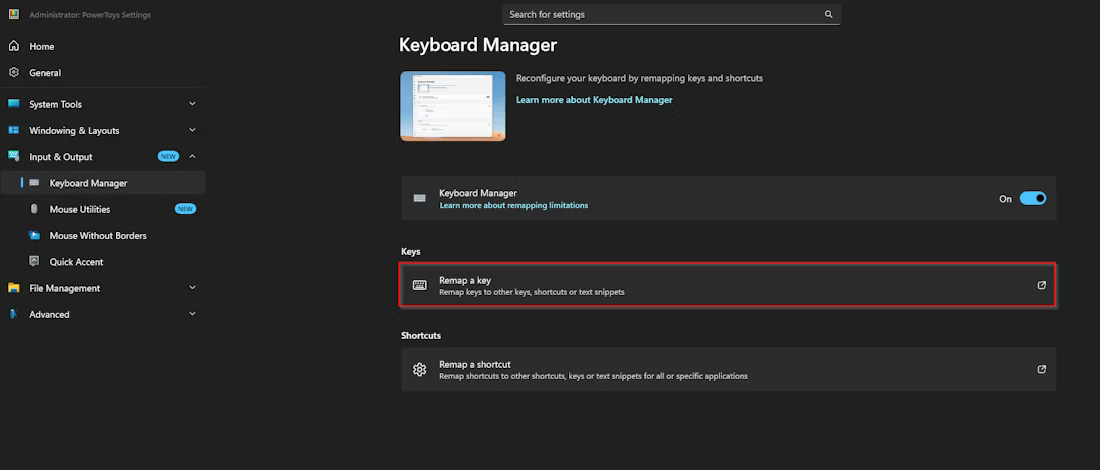
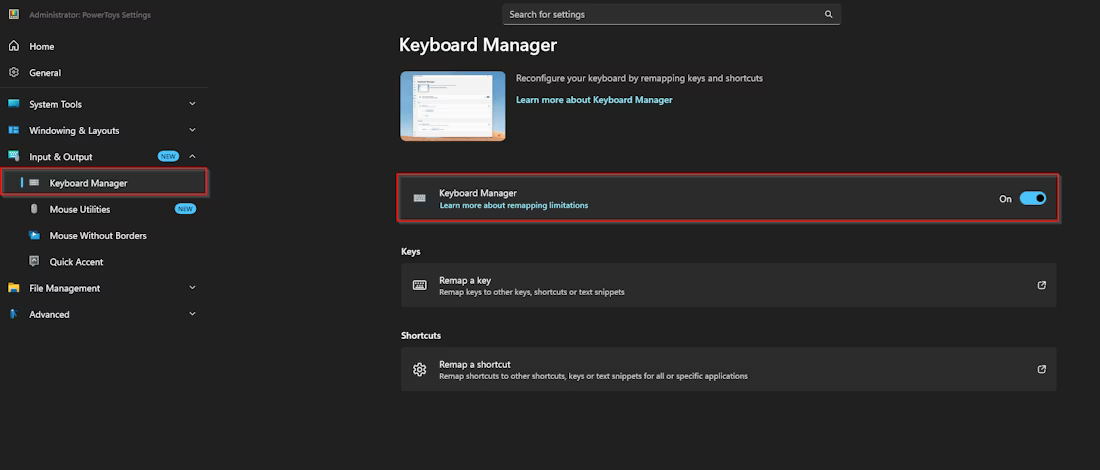
3. Click on Input & Output, then Keyboard Manager. Enable Keyboard Manager.
<Frame>
  <img src="https://mintcdn.com/basilcheats/MFxLIqAlnFrceQY9/images/image-8.png?fit=max&auto=format&n=MFxLIqAlnFrceQY9&q=85&s=a425ca7f2c90c334f4b0cccb18dd0850" alt="Image" width="1100" height="470" data-path="images/image-8.png" />
</Frame>

4. Click Remap a key

<Frame>
  <img src="https://mintcdn.com/basilcheats/MFxLIqAlnFrceQY9/images/image-9.png?fit=max&auto=format&n=MFxLIqAlnFrceQY9&q=85&s=091f11a78239ba8dff1d4f031cfe3aad" alt="Image" width="1100" height="470" data-path="images/image-9.png" />
</Frame>

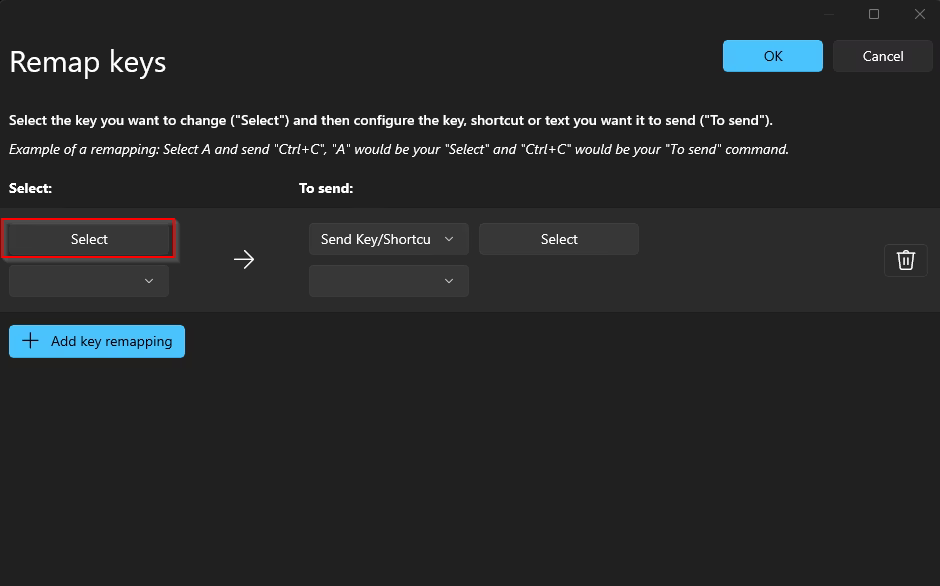
5. Click Add key remapping.

<Frame>
  <img src="https://mintcdn.com/basilcheats/MFxLIqAlnFrceQY9/images/image-10.png?fit=max&auto=format&n=MFxLIqAlnFrceQY9&q=85&s=0806e1c7edbd0cf5ab9d04c04367b983" alt="Image" width="940" height="586" data-path="images/image-10.png" />
</Frame>

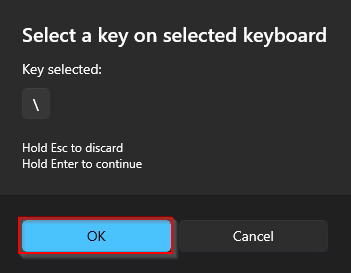
6. Click Select and then press the key on your keyboard which you want to remap to insert.
<Frame>
  <img src="https://mintcdn.com/basilcheats/MFxLIqAlnFrceQY9/images/image-12.png?fit=max&auto=format&n=MFxLIqAlnFrceQY9&q=85&s=8de6968b2099e91c2eee9d44c93f2c7c" alt="Image" width="351" height="273" data-path="images/image-12.png" />
</Frame>

7. Once you press the key you want to remap it will show underneath "Key selected:", then click ok.
<Frame>
  <img src="https://mintcdn.com/basilcheats/MFxLIqAlnFrceQY9/images/image-13.png?fit=max&auto=format&n=MFxLIqAlnFrceQY9&q=85&s=05d9b4b6353b53a2075864b7c7b79894" alt="Image" width="938" height="583" data-path="images/image-13.png" />
</Frame>

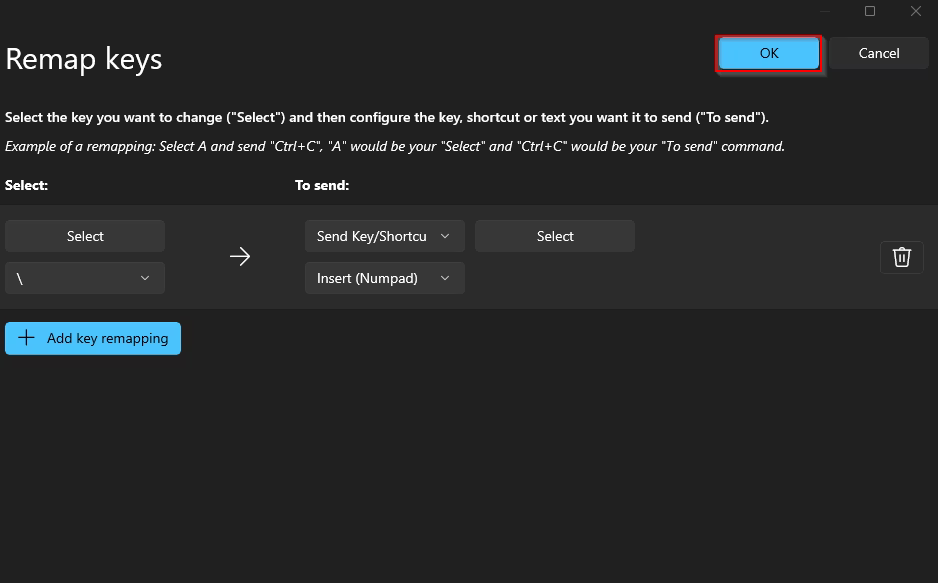
8. Change the To Send key to Insert.

<Frame>
  <img src="https://mintcdn.com/basilcheats/MFxLIqAlnFrceQY9/images/image-13.png?fit=max&auto=format&n=MFxLIqAlnFrceQY9&q=85&s=05d9b4b6353b53a2075864b7c7b79894" alt="Image" width="938" height="583" data-path="images/image-13.png" />
</Frame>

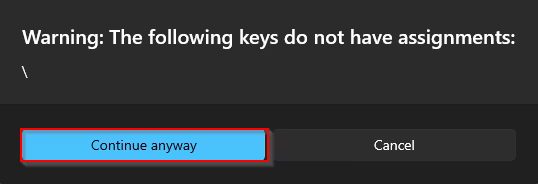
9. Press ok.

<Frame>
  <img src="https://mintcdn.com/basilcheats/MFxLIqAlnFrceQY9/images/image-14.png?fit=max&auto=format&n=MFxLIqAlnFrceQY9&q=85&s=f2354a3987bb8e702acd03146e5a9561" alt="Image" width="538" height="184" data-path="images/image-14.png" />
</Frame>

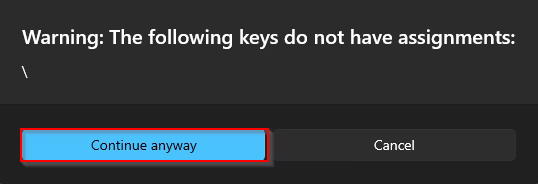
10. Press Continue anyway.

<Frame>
  <img src="https://mintcdn.com/basilcheats/MFxLIqAlnFrceQY9/images/image-15.png?fit=max&auto=format&n=MFxLIqAlnFrceQY9&q=85&s=ff3bad6a17dfa4780a709faedcc31b79" alt="Image" width="538" height="184" data-path="images/image-15.png" />
</Frame>

Thats it, now you can press your remapped key and it will register as Insert, allowing you to toggle the menu if you dont have a physical insert key on your keyboard.